Menu
Your Cart

Gaming Price in BD 2026

Check Gaming Price in Bangladesh below. Starting from BDT 1,450৳ up to BDT 80,000৳, varieties of 29 products where 24 products are available. This price list was updated on 31-03-2026 by IT SOURCE, the Best Gaming shop in BD.

Best Gaming Accessories in Bangladesh

Looking for the best gaming accessories in Bangladesh? Look no further than ITSource BD! Our store is your one-stop-shop for all your gaming needs. Whether you're a professional gamer or just starting out, we have everything you need to take your gaming experience to the next level.

Gaming Accessories Price in BD at ITSource BD

At ITSource BD, we offer a wide range of gaming accessories that cater to gamers across all skill levels. From gamepads to gaming earphones and graphics tablets, we have everything you need to enhance your gaming experience. Plus, our prices are affordable, so you don't have to break the bank to get the accessories you need.

Gaming Accessories in Bangladesh - Perfect for Office, Industry, and Home Use

Our gaming accessories aren't just limited to gaming. They can also be used for office, industry, and home use. For example, our graphics tablets are perfect for graphic designers who need a high-quality tool for designing logos, illustrations, and more. Meanwhile, our gaming earphones provide crystal-clear sound, making them great for music lovers or people who need to make calls from their computer.

Find the Best Gaming Accessories Price in Bangladesh 2023 at ITSource BD

Looking for the best gaming accessories price in Bangladesh in 2023? You'll find it at ITSource BD! We offer competitive pricing on all our gaming accessories, so you can get the equipment you need without breaking the bank. Plus, with our wide selection of products, you're sure to find exactly what you're looking for.

Whether you're an avid gamer or looking for gaming accessories for other purposes, ITSource BD has got you covered. With our wide selection of gamepads, gaming earphones, graphics tablets and more, you'll be able to find the perfect accessory for your needs at a price that won't break the bank. So what are you waiting for? Check out our collection of gaming accessories today!

Why should we buy gaming accessories from ITSource BD?

  • Wide range of products: ITSource BD offers a wide range of gaming accessories, including gaming mice, keyboards, headsets, and more, from various brands.
  • Competitive pricing: ITSource BD often offers competitive pricing on gaming accessories compared to other retailers.
  • Quality products: ITSource BD sources its products directly from reputed manufacturers, ensuring that customers get high-quality and genuine products.
  • Knowledgeable staff: The staff at ITSource BD are knowledgeable about the products we sell and can provide helpful advice and recommendations to customers.
  • Convenient shopping experience: ITSource BD has both an online store and physical locations, making it easy for customers to shop for gaming accessories either in-person or from the comfort of their own homes.
XP-Pen Deco 01 V2 Digital Drawing Graphics TabletXP-Pen Deco 01 V2 comes with a 10 x 6.25 inch working area so you have more space to create and get work done. But at only 8mm thick, you can take it anywhere without the burden of lugging around a heavy tablet! The stylus supports up to 60 degrees of tilt brush effect and delivers smoother and more natural lines and strokes, while also giving you the ability to add shading to your creation and offering a more natural writing and drawing experience. The XP-Pen Deco 01 V2 supports connections with Android devices 6.0 and above. It is compatible with XP-Pen’s Deco Draw Drawing App and also works with most major software including: ibis Paint X, FlipaClip, Medibang, Autodesk Sketchbook, Zenbrush, Artrage, and more, bringing you an all new creative experience with extreme portability and potential. The Deco features eight, round, customizable express keys that fit easily to your fingertips. With its blind spot reduction design, you can find the position of your express keys efficiently and the shortcut keys can be programmed to many different software programs. The XP-Pen Deco 01 V2 supports a rotation of 0, 90, 180, and 270 degrees. Now you can set out to what you want to be! The Deco 01 V2 lights up at the ends of the drawing area, and comes with adjustable brightness levels, so you can work and create in your preferred lighting environment. The stylus works just like a real pen, no battery and no charging required! The stylus is true-to-life with 8,192 levels of pressure sensitivity, giving it the intelligence to modify, navigate and create with a full pallet of brush and pens. Sketch, paint, design, and edit photos on your tablet. A unit powerful enough to help you take your ideas even further. Simultaneous digital inking with an XP-Pen graphics tablet compatible with Microsoft Office apps like Word, PowerPoint, OneNote and more. Visually present your handwritten notes and signatures precisely – ideal for your web conferencing or online teaching needs...
7,500৳
Ex Tax:7,500৳
XP-Pen Deco 03 Graphics TabletXP-Pen Deco 03 Graphics Tablet takes an incredibly creative design and refines it even further with a multi-function Red Dial. Crafted from anodic oxidation aluminum for a satin-like finish, this Dial is designed to fit comfortably in your hand and break through the traditional graphics tablet design. Utilize our multi-function dial by rotating its front and side. Easy to control with no friction.Wireless connection for a wireless worldThe Deco 03 features both wired and wireless USB capability: Simply plug the included ISM 2.4 G USB receiver into your computer to draw wirelessly, or connect the Deco 03 to your computer with the included USB cable for standard wired use.The latest Passive Pen designOur latest P05 stylus comes with 8192 levels of pressure sensitivity, making it durable and fit comfortably in your hand.Work Faster with XP Pen Deco 03The Report Rate of Deco 03 has increased to 266 RPS, to make lines flow smoother and perform better, working faster and efficiently.Both right and left-hand useDesigned for both right and left-hand users, now you can set it to left-hand or right-hand mode through easy access. Remove all limitations and set out to what you want to be!VersatilityThe Deco 03 features six customizable express keys that fit easily to your fingertip. With its blind spot reduction design, it will help you find the position of your express keys efficiently. The driver allows the shortcut keys to be attuned to much different software...
10,500৳
Ex Tax:10,500৳
XP-Pen Star-G640 Graphics TabletEnjoy the light weight and sleek design of the new G640. The G640 is only 2mm thick, it’s as slim as all primary level graphic tablets, allowing you to carry it with you on the go. Compare to the G430, the G640 provides a wider active area for drawing & gameplay! Down to the position of the USB cable, the G640 is designed to fit your drawing and playing lifestyle. 8192 levels of pressure sensitivity, giving it the intelligence to modify, navigate and create with a full pallet of brush and pens. The P01 works just like a real pen, no battery and no charging required! Designed for both right and left hand users, now you can set it to left hand or right hand mode through easy access. Special for OSU! gamer! Battery free, sensitive brush, allowing you to play with music and enjoy the game. Simultaneous digital inking with an XP-Pen graphics tablet compatible with Microsoft Office apps like Word, PowerPoint, OneNote and more. Visually present your handwritten notes and signatures precisely – ideal for your web conferencing or online teaching needs. Teachers and speakers can create and explain interactive content visually by writing, editing, and annotating directly in files and sharing their screen in real time while streaming, broadcasting, or web conferencing. This flexibility allows the flow of creative ideas and the problem-solving process to be presented intuitively and efficiently. Synchronize with Adobe Acrobat Reader DC signature Application, satisfied with the need of digital business signature.Features:XP-Pen Star-G640 Graphics TabletXP-PEN G640 graphics tablet is designed for digital drawing, painting, sketching, E-signatures, online teaching, remote work, photo editing, etc. XP-PEN G640 is compatible with Windows 10/8/7 and Mac 10.10 or above and Chrome OS 88 and above. It’s compatible with the drawing program Adobe Photoshop, paint tool sai, illustrator, Corel draw, Corel painter, sketchbook, manga studio, clip studio paint, and moreStarG640 drawing tablet is the perfect replacement for a traditional mouse! The XP-PEN advanced Battery-free PN01 stylus does not require charging, allowing for constant uninterrupted Draw and Play, making lines flow quicker and smoother, enhancing overall performance. The one-click toggle allows you to switch between Pen and Eraser instantly. Comes with 20 replacement nibs, allowing you to have more funXP-PEN StarG640 pen tablet features 8192 levels of pressure sensitivity, its 6×4 inches active area, providing you with groundbreaking control and fluidity to expand your creative output. The G640 is only 2mm thick, it’s as slim as all primary level graphic tablets, allowing you to carry it with you on the goXP-PEN G640 drawing tablet is ready to work seamlessly with Chromebook devices now, so you can create information-rich content and collaborate with teachers and classmates on Google Jamboard’s whiteboard; Take notes quickly and conveniently with Google Keep, and effortlessly sketch diagrams with the Google CanvasXP-PEN G640 is an ideal tool for online teaching, e-learning, remote work, web-conferencing, it’s compatible with Microsoft Office apps like Word, PowerPoint, OneNote, Zoom, Xsplit etc. Works perfect than a mouse, visually present your handwritten notes, signatures precisely. Register your XP-PEN tablet on XP-PEN Web to receive Explain Everything program. XP-PEN provides a one-year warranty and lifetime technical support for all our pen tablets/displays..
4,200৳
Ex Tax:4,200৳
XP-Pen Star-G960S Graphics TabletThe XP-Pen Star G960S comes with a 9 x 6 inch working area, offering you more space and more freedom to express your creative ideas. The XP-Pen Star G960S works with common Microsoft Office software like Word, PowerPoint, OneNote, and more. It supports digital inking in Microsoft Office, allowing you to simultaneously write with ink and visually present your handwritten notes and signature–ideal for your paperless office or online teaching needs. The Star G960S supports connection with Android tablets and mobile phones, letting you go wherever your ideas take you and stay productive on the go. It works with most software such as ibis Paint X, FlipaClip, Medibang, Autodesk Sketchbook, Zenbrush, Artrage, and more. Features four customizable shortcut keys, allowing you to tailor your shortcuts to your preferences and create with maximum convenience and efficiency. The Battery-Free Stylus Pen does not require batteries or charging and supports long hours of uninterrupted drawing. With 8,192 levels of pressure sensitivity, the stylus naturally presents lines of various widths and enables more exquisite expression of lines and strokes with ease. The stylus supports up to 60 degrees of tilt function to enable a natural and smooth tilt brush effect, bringing you a familiar writing and drawing experience. The XP-Pen Star G960S supports a rotation of 0, 90, 180, and 270 degrees. Now you can set out to what you want to be! The XP-Pen Star G960S is compatible with Windows 10/8/7, Mac OS X 10.10 and above, Android 6.0 and above. Also works with many major software such as Photoshop, SAI, Painter, Illustrator, Clip Studio, GIMP, Medibang, Krita, Fire Alpaca, Blender 3D and more.Features:XP-Pen Star-G960S Graphics TabletXP-PEN Star G960S drawing pen tablet supports connection with Android tablets and mobile phones, letting you go wherever your ideas take you and stay productive on the go. It works with most software such as ibis Paint X, FlipaClip, Medibang, Autodesk Sketchbook, Zenbrush, Artrage, and more. A 9 x 6 inch working area and a separate USB interface, offering you more space and more freedom to express your creative ideas. Features four customizable shortcut keys, allowing you to tailor your shortcutTilt Supported: PH3 stylus supports up to 60 degrees of tilt function to enable a natural and smooth tilt brush effect, bringing you a familiar writing and drawing experience. The Battery-Free Stylus Pen does not require batteries or charging and supports long hours of uninterrupted drawing. With 8,192 levels of pressure sensitivity, the PH3 stylus naturally presents lines of various widths and enables more exquisite expression of lines and strokes with easeThe XP-Pen Star G960S works with common Microsoft Office software like Word, PowerPoint, OneNote, and more. It supports digital inking in Microsoft Office, allowing you to simultaneously write with ink and visually present your handwritten notes and signature–ideal for your paperless office or online teaching needs..
6,500৳
Ex Tax:6,500৳
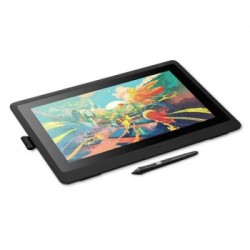
Wacom DTK-1661/K0-FX Cintiq 16 Inch Creative Pen Display Graphics Tablet
Call for price
Wacom DTK-1661/K0-FX Cintiq 16 Inch Creative Pen Display Graphics TabletWacom Cintiq is a new class of creative pen displays with an optimized feature set for creative starters. Vibrant color, HD clarity, and ergonomic design together with the super-responsive Pro Pen 2, offer a natural experience and help take your creative ideas and illustrations to the next level. Wacom Pro Pen 2 and Wacom Cintiq displays (available in 15.6” or 21.5”) work together to make your creative session productive and comfortable. The screen has an anti-glare film, preventing any distracting reflections. The full HD display provides great clarity, so you can see every detail on screen. The reduced parallax also gives you full control, so your cursor is where you expect to be. All this combines to make a drawing on Wacom Cintiq feel as natural as drawing on paper. With EMR (Electro-Magnetic Resonance) technology Wacom Pro Pen 2 will keep going as long as you do. It draws power from your Wacom Cintiq – so it requires no batteries or recharging. Plus, the pen has been precisely designed so that the balance of weight, rubber grip, and position of the buttons make it comfortable to use. Wacom Pro Pen 2 reacts to the tilt of your hand and immediately responds as you move, capturing every stroke of your pen. With reduced parallax, your cursor appears exactly where you want it. This level of accuracy combined with the anti-glare screen means that drawing, sketching, and painting feel seamless. With 8,192 levels of pressure sensitivity and a low activation force, Wacom Pro Pen 2 recognizes light pen strokes. Giving you the control you need, whatever the project. Built with Wacom quality and know-how, Wacom Pro Pen 2 and Wacom Cintiq’s slim line display are built not just for beauty but were designed to last. Made with durable, scratch-resistant materials, and high-quality components, Wacom Cintiq is a creative tool you can rely on for your first project and all of those to come. Wacom Cintiq 16 features integrated foldable legs so you can go from almost flat to a 19° incline in seconds. An optional stand gives you even more flexible and ergonomic working positions. The cable connects to the top of the screen and avoids unwanted desk clutter. The 3-in-1 cable that connects to your Wacom Cintiq 16 combines power, video, and data in one...
0৳
Ex Tax:0৳
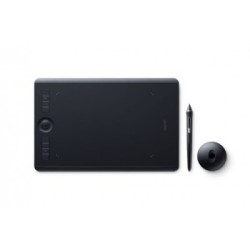
Wacom PTH-660/K0-CX Intuos Pro Medium Dimensions 33.4 x 21.7 x 0.8 cm Pen Graphics Tablet
Call for price
Wacom PTH-660/K0-CX Intuos Pro Medium Dimensions 33.4 x 21.7 x 0.8 cm Pen Graphics TabletSize Medium: 338 x 219 x 8 mm / 13.2 x 8.5 x 0.3 inActive Area Medium: 224 x 148 mm / 8.7 x 5.8 inWeightMedium: 700g/ 1.54lbsColor: BlackMulti-Touch: YesStylus: Wacom Pro Pen 2Tilt Recognition: ± 60 levelsSwitches: 2 side switches on pen, Touch on/off switch on tablet..
0৳
Ex Tax:0৳
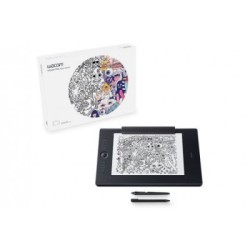
Wacom PTH-660/K1-CX Intuos Pro Medium Paper Edition Dimensions 33.4 x 21.7 x 0.8 cm Pen Graphics Tablet
Call for price
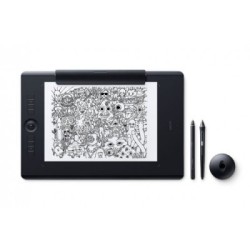
Wacom PTH-660/K1-CX Intuos Pro Medium Paper Edition Dimensions 33.4 x 21.7 x 0.8 cm Pen Graphics TableSize Medium: 338 x 219 x 8 mm / 13.2 x 8.5 x 0.3 inActive Area Medium: 224 x 148 mm / 8.7 x 5.8 inWeight Medium: 700g/ 1.54lbsColor- BlackMulti-Touch YesStylus[ Wacom Pro Pen 2Finetip Pen (for paper sketching)Stylus Type- Pressure-sensitive, cordless, battery-freeTilt Recognition ± 60 levelsSwitches 2 side switches on pen, Touch on/off switch on tabletTechnology Patented electromagnetic resonance methodResolution 5080 lpiPaper Size (for paper sketching) A5/Half Letter for Medium table01 Year Warranty..
0৳
Ex Tax:0৳
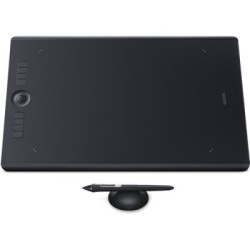
Wacom PTH-860/K0-CX Intuos Pro Large Dimensions 42.6 x 28.4 x 0.8 cm Pen Graphics Tablet
Call for price
Wacom PTH-860/K0-CX Intuos Pro Large Dimensions 42.6 x 28.4 x 0.8 cm Pen Graphics TabletActive Area 12.24 x 8.5″ (311 x 216 mm)8192 Levels of Pen Pressure SensitivityTouch- Multi-touch, 10-fingersUSB & Bluetooth 4.2 Connectivity8 Programmable Express KeysTouch Ring, Radial Menu, Pen SwitchesIncluded Wacom Pro Pen 2Slim and Compact DesignBattery Type: Li-ionCompatibility: Wacom Pro Pen 2, Windows and Mac CompatibleFlash Memory: Stores up to 100 pages/layersButtons: Power On/Off, Touch On/Off, Home, Touch Ring , 8 x ExpressKeys01 Year Warranty..
0৳
Ex Tax:0৳
Wacom PTH-860/K1-CX Intuos 42.6 x 28.4 x 0.8 cm Pen Graphics Tablet
Call for price
Wacom PTH-860/K1-CX Intuos Pro Large Paper Edition Dimensions 42.6 x 28.4 x 0.8 cm Pen Graphics TabletSize Large: 430 x 287 x 8 mm / 16.8 x 11.2 x 0.3 inActive Area Large: 311 x 216 mm / 12.1 x 8.4 inWeight Large: 1300g/ 2.86lbColor BlackMulti-Touch YesStylus[ Wacom Pro Pen 2Finetip Pen (for paper sketching)Stylus Type- Pressure-sensitive, cordless, battery-freeTilt Recognition ± 60 levelsSwitches 2 side switches on pen, Touch on/off switch on tabletTechnology Patented electromagnetic resonance methodResolution 5080 lpi01 Year Warranty..
0৳
Ex Tax:0৳
Showing 11 to 20 of 29 (3 Pages)