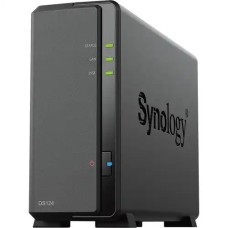
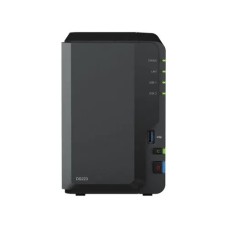
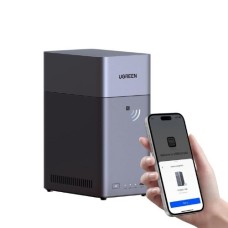
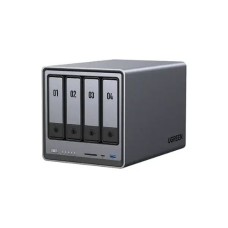
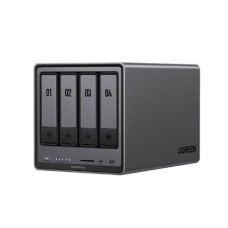
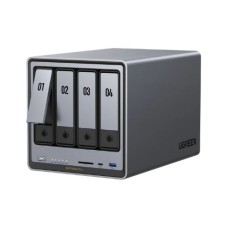
NAS Cloud Storage has become an essential solution for anyone looking to securely store, manage, and access their digital data from anywhere. Unlike traditional storage devices, NAS (Network Attached Storage) allows multiple users and devices to connect seamlessly to a centralized system, providing both convenience and security. Whether it’s for personal use, a small office, or a large business, NAS Cloud Storage offers flexibility, scalability, and reliable performance. With advanced features like remote access, RAID protection, and high-speed data transfer, it ensures that your important files, documents, and media are always safe and easily accessible whenever needed. At IT Source, we offer a wide range of NAS devices that cater to various storage needs and budgets. Our NAS Cloud Storage solutions combine high-speed performance with robust security features, making them ideal for both home users and enterprises. From storing personal media files to managing critical business data, our devices provide seamless integration and effortless data management. Users can enjoy real-time access to their files across multiple devices while maintaining full control over their data. IT Source ensures that every NAS device we offer is genuine, durable, and backed by official warranties, giving you peace of mind with every purchase.
Choosing the right NAS device can sometimes feel overwhelming, given the variety of options available in the market. That’s why we focus on providing detailed information and guidance to help you make informed decisions. Our products are carefully selected to balance reliability, performance, and affordability, ensuring that you get the best value for your investment. Whether you are looking for a compact NAS for home use or a more advanced model for business applications, our selection is designed to meet diverse requirements while maintaining top-notch quality. One of the most important considerations when shopping for NAS is the price, and at IT Source, we provide competitive NAS Cloud Storage Price in Bangladesh. Our goal is to make high-quality cloud storage accessible to everyone without compromising on features or reliability. By offering a range of options, from entry-level models to high-capacity enterprise solutions, we ensure that you can find a NAS device that fits both your technical needs and budget. With IT Source’s NAS Cloud Storage, you don’t just get a storage device—you get a complete solution for managing your digital life efficiently. Enjoy peace of mind knowing that your files are secure, your data is accessible from anywhere, and you have a trusted partner providing genuine products at the best NAS Cloud Storage Price in Bangladesh. Upgrade your storage experience today and experience the convenience, security, and performance of our NAS solutions.
NAS Cloud Storage provides a reliable and efficient solution for all your data needs. With its combination of performance, security, and scalability, it ensures that your files remain safe, accessible, and organized. Choosing the right NAS device guarantees long-term value, making it a smart investment for home users and businesses alike.
At IT Source BD, we bring you the best NAS Cloud Storage solutions from top brands trusted worldwide. Our collection combines performance, reliability, and security to meet all your storage needs. Whether for home, office, or enterprise, our devices ensure seamless data management and uninterrupted access to your files.
Some of our premium products include:
All these NAS devices are designed to deliver fast data transfer, secure storage, and easy remote access. With competitive NAS Cloud Storage Price in Bangladesh, IT Source BD ensures that you get genuine, high-quality products at the best value. Upgrade your storage experience today and enjoy peace of mind with reliable NAS solutions from trusted brands.
Investing in NAS Cloud Storage is a smart choice for businesses of all sizes. It provides a centralized, secure, and easily accessible platform to store critical business data. With NAS devices, companies can ensure seamless collaboration among teams, reduce the risk of data loss, and maintain high-speed performance for daily operations. From small startups to large enterprises, NAS Cloud Storage offers reliability, scalability, and cost-effective solutions that support business growth. Choosing the right NAS device helps streamline workflow, improve productivity, and protect valuable information.
NAS Cloud Storage allows businesses to store all files in one location, making it easier to organize, access, and share data across teams. Centralized management reduces confusion and ensures that employees always have access to the latest files. With a single storage system, companies can avoid duplication and version conflicts, keeping everyone on the same page. Managers can also monitor file usage and storage capacity efficiently, making decision-making faster. For businesses using devices like HDD-SSD Enclosures, integrating them with NAS Cloud Storage further enhances storage flexibility and organization. This setup streamlines workflows, improves productivity, and ensures that critical business information is always available when needed.
Protect sensitive business data with advanced encryption, RAID configurations, and user access controls. NAS devices help safeguard information against unauthorized access, hardware failures, or accidental deletion. Many NAS solutions also include automated backup options and security alerts, so businesses can respond quickly to potential threats. With multiple layers of protection, companies can meet compliance requirements and maintain client trust. Regular software updates and secure login protocols further strengthen data protection, giving peace of mind to business owners and IT managers alike.
Employees can securely access files from anywhere using web or mobile interfaces. This enables seamless collaboration between remote teams, branch offices, or traveling staff. Teams can work simultaneously on the same documents, share media, and update files in real time without delays. NAS Cloud Storage also supports version control, memory card, ensuring that every team member works on the latest file version. This flexibility boosts productivity, reduces downtime, and allows businesses to operate efficiently even when employees are spread across multiple locations.
NAS Cloud Storage can easily expand as your data needs increase. Businesses can upgrade storage drives or add additional NAS units without disrupting operations, making it a long-term solution. This scalability ensures that companies don’t have to invest in entirely new storage systems as they grow. Whether you need a few terabytes for a small office or petabytes for a large enterprise, NAS solutions can adapt accordingly. Flexible expansion also helps in budgeting and planning, as businesses can purchase storage incrementally rather than paying for unnecessary capacity upfront.
Compared to traditional storage methods, NAS offers a reliable, low-maintenance, and energy-efficient solution. It reduces dependency on multiple storage devices while offering high performance and uninterrupted access. With NAS, businesses save on hardware, electricity, and IT management costs. The devices are designed to operate 24/7 with minimal downtime, ensuring constant availability of files and data. This makes NAS Cloud Storage a smart investment for businesses looking for long-term efficiency, reliability, and scalability without breaking the budget.
NAS Cloud Storage is an essential tool for programmers and developers who need fast, secure, and centralized access to their code, projects, and resources. It provides a reliable platform to store large project files, version control repositories, and collaborative workspaces. With NAS, teams can work together efficiently, access data remotely, and ensure that all critical files are backed up and protected. By choosing the right NAS, you can enhance productivity while maintaining data integrity and security.
By investing in NAS Cloud Storage, businesses and developers gain a reliable and scalable solution to manage all programming and development needs. With competitive NAS Cloud Storage Price in Bangladesh, IT Source BD offers genuine NAS devices that combine performance, security, and convenience. For enhanced workflow, you can also pair NAS devices with a fast Card Reader to quickly transfer large files, media, or project data. Whether you are an individual programmer or part of a large development team, NAS Cloud Storage ensures smooth operations, faster project delivery, and secure management of all your digital assets.
Explore the latest storage solutions with genuine NAS Cloud Storage devices from IT Source. Designed for both home users and businesses, our NAS devices provide high-speed performance, secure centralized storage, and seamless remote access. At IT Source, we offer only authentic products, ensuring long-term reliability and official warranty support for every purchase. our wide range of categories, including the latest Pen Drive for quick, portable storage needs and Wireless Adapter for expanding your existing storage systems. Each product is carefully selected to meet high standards of performance and durability. At IT Source, we prioritize genuine products and official warranties, so you get peace of mind with every purchase. Check out our competitive NAS Cloud Storage Price in Bangladesh and find the perfect device that fits your requirements and budget. Shop now and experience fast, secure, and reliable storage with IT Source.
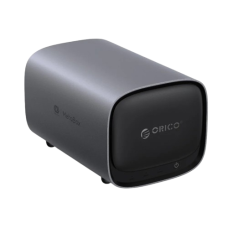
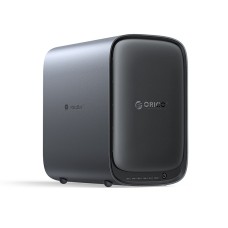
-Private-Cloud-Storage-228x228.jpg)
-Private-Cloud-Storage-228x228.jpg)