
| General Information | ||
| Brand | Dell |
|
| Power | 240W | |
| Type | Power Module | |
| Others Info | ||
| Others | COOLIN: 1 Fan |
|
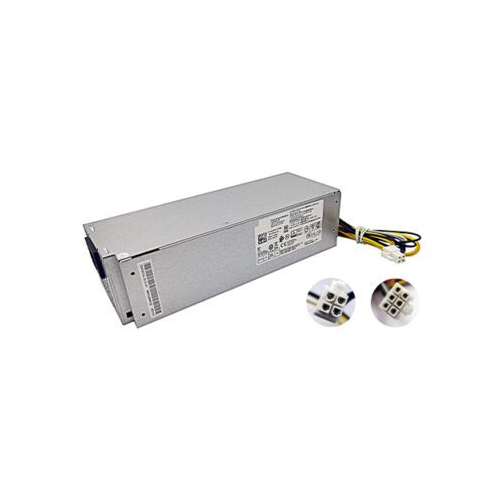
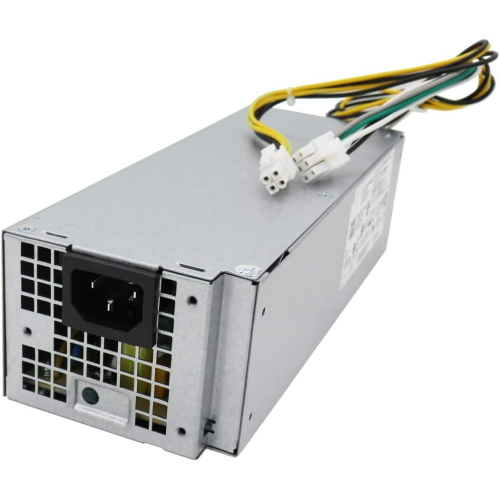
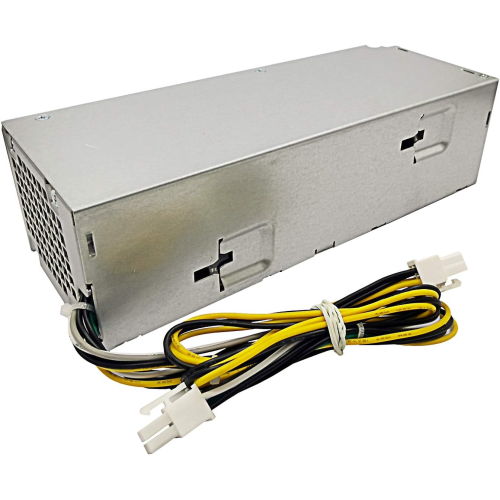
The Dell OptiPlex 240W Power Supply price in Bangladesh depends on the latest stock and price. This power supply is made for selected Dell desktop computers. It gives up to 240 watts of power. It has a 6-pin main power connector and a 4-pin CPU power connector. These connectors help link the power supply to compatible computer parts.
It supports a listed AC input range of 100V to 240V. It also has one cooling fan. Check your current power supply before you order. Make sure the model and connectors match your computer. Visit the IT Source product page to check the latest price.
The Dell OptiPlex 240W Power Supply is a replacement power module for compatible Dell desktops. A power supply sends power to the parts inside a computer. These parts include the motherboard and other connected components. The correct power supply helps your desktop receive the power it needs.
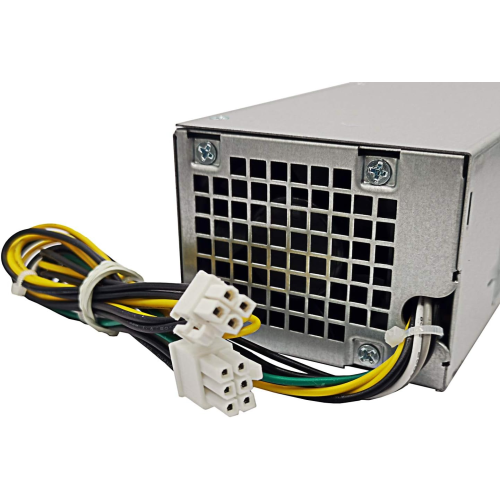
This unit has a maximum output of 240 watts. It uses a 6-pin ATX power connector and a 4-pin ATX power connector. You should check both connectors before buying. A connector that looks similar may not fit your computer.
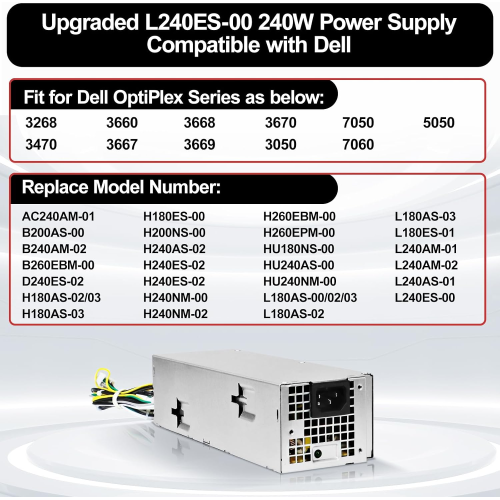
This power supply is listed for Dell OptiPlex 3046, 3060, 3650, 3050, 5050, and 7050 computers. It also has several compatible model and part numbers. Check the label on your old power supply to find a match.
This product uses a power module design for supported Dell desktop systems. It includes one cooling fan. The fan helps move air around the power unit during use. Its listed power output is 240 watts.
The power supply has two listed connectors. The P1 connector has 6 pins. The P2 connector has 4 pins. Check your computer's power sockets before placing an order. Do not force a connector into the wrong socket.
A power supply helps a computer turn on and run. This unit can provide up to 240 watts of power. Your computer must be compatible with its power rating and connectors. The total power needs of your computer also matter.
The AC input range is 100–240V at 50–60Hz. This range is printed in the product details. Always check the power supply label and your computer's requirements. Do not assume that every Dell desktop can use this unit.
This unit may suit users whose old power supply has failed. First, compare the model number and part number. Also check the wattage and connector types. These checks can help you choose a matching replacement.
The listed compatible desktop models include Dell OptiPlex 3046, 3060, 3650, 3050, 5050, and 7050. Compatibility can depend on the exact computer setup. Check the model label and connector layout before buying.
This power supply has several listed part numbers. Compare them with the label on your current unit. If the numbers do not match, confirm compatibility before ordering. This helps reduce the chance of buying the wrong part.
The following model numbers and part numbers are listed for compatibility. Check your existing power supply label before you buy.
Some part numbers may be shared across different listings. Always check the label and connector layout to confirm a match.
Box contents may vary, please check the product page.
IT Source offers computer parts and accessories for customers in Bangladesh. Check the product details before placing your order. Make sure the model and connector types match your computer.
The price can change with stock and store updates. Check the IT Source product page for the latest price before ordering.
It provides a maximum output of 240 watts. Check that this power level suits your computer.
It has one 6-pin ATX power connector and one 4-pin ATX power connector. Check that both match your computer.
The listed models include Dell OptiPlex 3046, 3060, 3650, 3050, 5050, and 7050. Check your exact model and power supply part number first.
Yes, it is listed as a Dell brand power supply. Check the product details and seller information before ordering.
Order now, stock is limited!
Check the latest Dell OptiPlex 240W Power Supply price in Bangladesh on IT Source.
Get specific details about this product from customers who own it.


-80x80.jpg)
-80x80.jpg)

-80x80.jpg)


-80x80.jpg)