
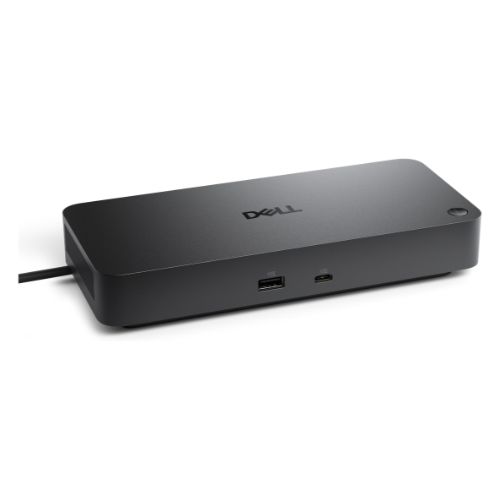


| Brand | Dell |
| Model | WD25 Pro |
| Product Type | Docking Station |
| Connectivity | Wired |
| Supported Device | Notebook |
| Displays Supported | Up to 4 |
| Power Delivery | 100W Dell / 96W Non-Dell |
| Ethernet | RJ45 2.5GbE |
| Video Ports | 2 × DP 1.4, 1 × HDMI 2.1, 1 × USB-C DP 1.4 |
| USB-A Data | 4 × USB 3.2 Gen 2, 10Gbps |
| USB-C Data | 1 × USB 3.2 Gen 2, 10Gbps |
| Maximum Power Supply | 130W |
| Operating Systems | Windows 10/11, Ubuntu, Red Hat Enterprise Linux, ChromeOS |
| Dimensions | 1.39 × 8.07 × 3.54 Inches |
| Weight | Approx. 1.21 lb |
| Security | Kensington Security Slot |
| Warranty | 3-Year Limited Warranty |
Up to 4 Displays | 100W Power Delivery | 2.5GbE Ethernet | 10Gbps USB Expansion
With support for up to four displays, the WD25 Pro gives professionals more screen space for multitasking, data analysis, design work, communication, and productivity applications. With DisplayPort 1.4 and Display Stream Compression (DSC), it can support configurations including up to four WQHD displays at 60Hz, two 5K displays at 60Hz, or one 6K display at 60Hz, depending on the system and display configuration.
Delivering up to 100W to Dell systems and 96W to non-Dell systems, the dock can power compatible notebooks while keeping the workspace cleaner and more organized.
The integrated 2.5GbE RJ45 Ethernet port provides a fast wired networking option for offices, workstations, file transfers, and other bandwidth-intensive tasks.
With multiple USB-A and USB-C 10Gbps ports, you can connect storage devices, keyboards, mice, printers, and other peripherals while keeping them accessible from one central hub.
These features make the WD25 Pro particularly useful for managed business environments where IT teams need centralized control over deployed hardware.
Get specific details about this product from customers who own it.


